linux
Self-hosted GitHub Actions runners on your Linux machine.
Run your GitHub Actions jobs on your own Ubuntu or Debian box: a desktop, a server or a VM. Codemany sets up the runners and gives every job a fresh one.
- Install it. The .deb, apt, or one command on a server.
- Connect GitHub. Sign in and pick repositories.
- Change one line:
runs-on: [self-hosted, Linux, codemany]
Checksummed packages, a signed apt repository, and updates with apt upgrade.
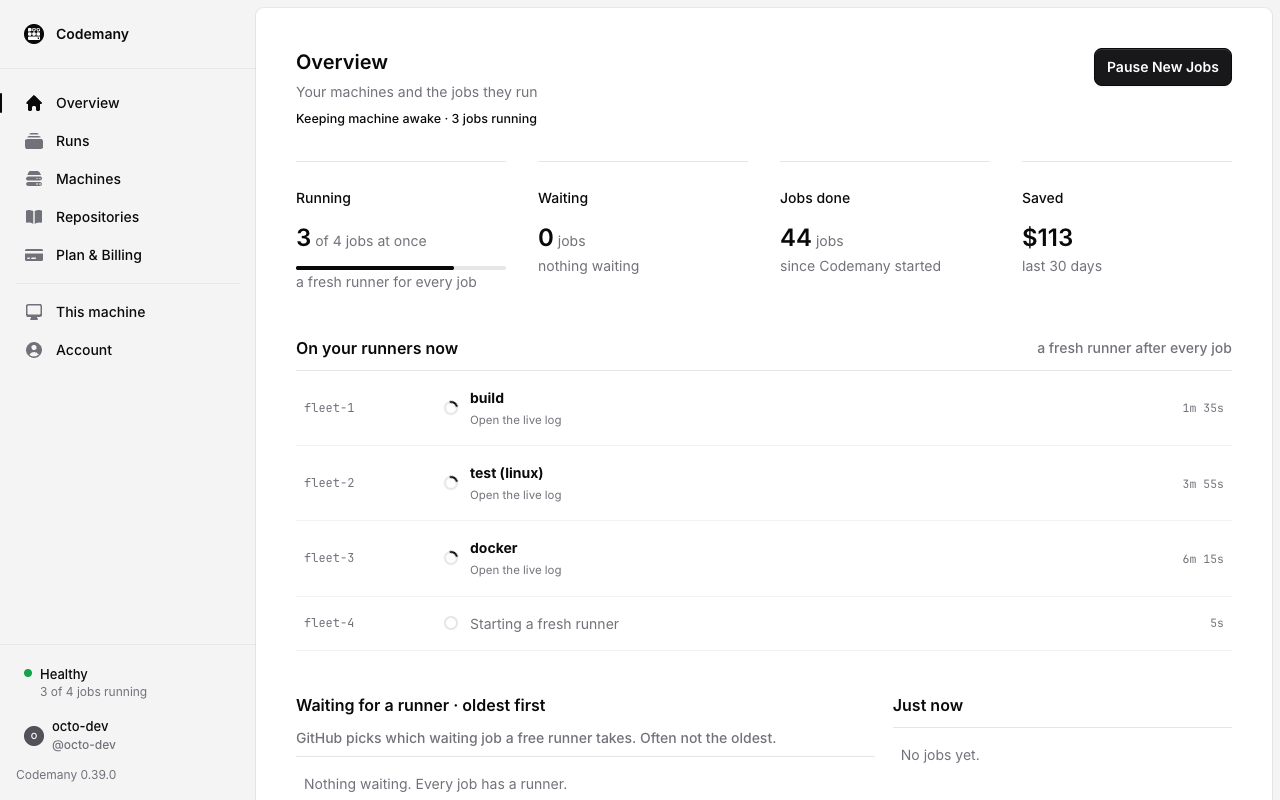
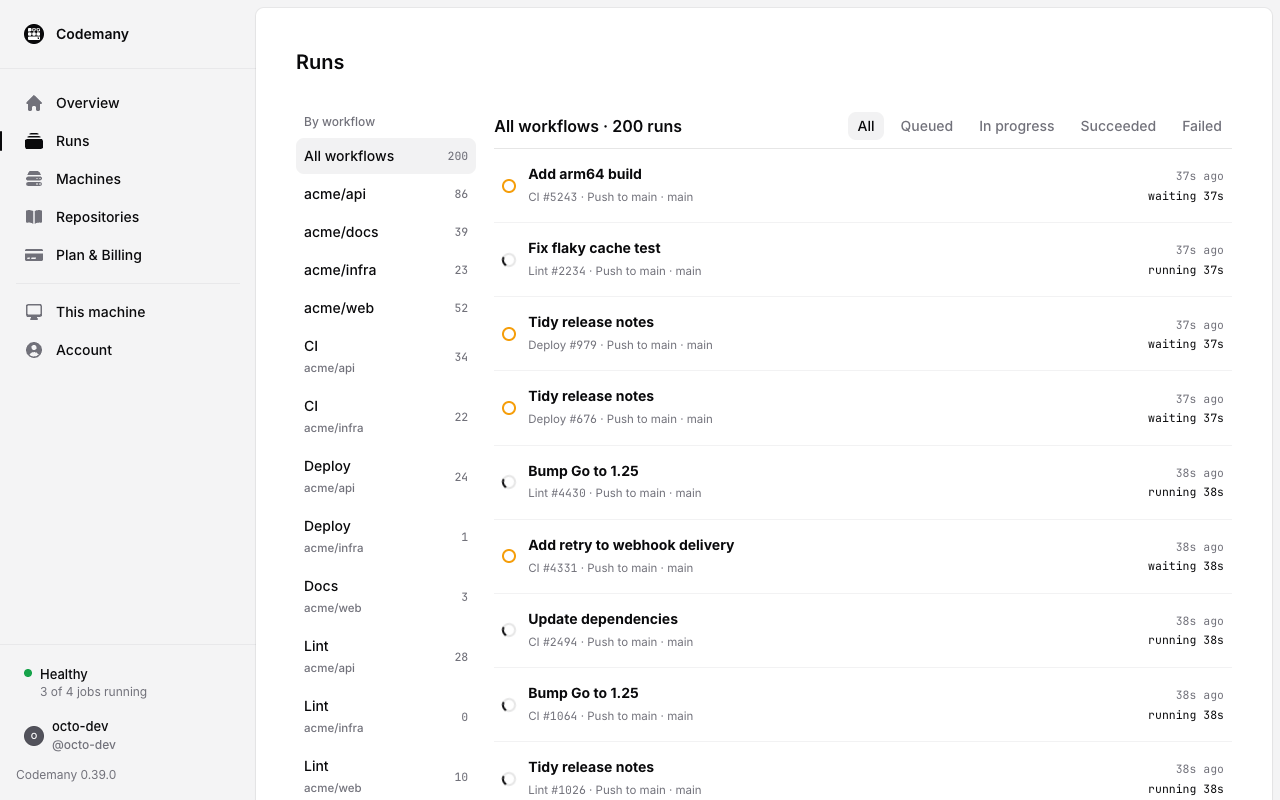
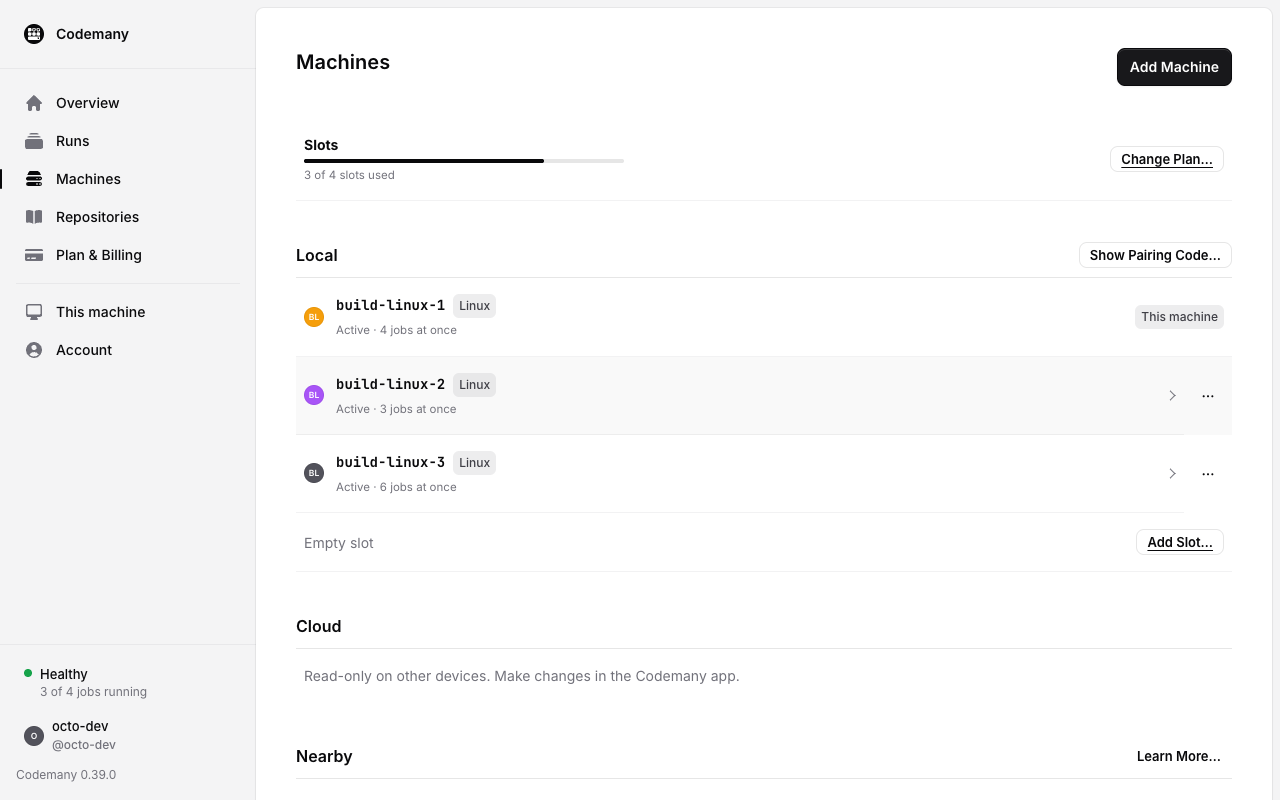
One window for your runners
The same places as the Mac app: Overview, Runs, Machines, Repositories, Plan & Billing, This machine and Account.
Why run GitHub Actions on your own Linux box
- A fresh runner for every jobNo state left over from the last job.
- A VM per job with KVMDocker and sudo inside, the host untouched.
- Several jobs at oncePick how many jobs each machine runs in parallel.
- Your code stays on your machineGitHub schedules the jobs and shows the logs.
- Runs as a systemd serviceIt starts at boot, with or without a desktop.
- Mix Linux and MacOne account for all your machines;
runs-onpicks the OS.
Supported distros and requirements
- Desktop appA .deb for Debian and Ubuntu, amd64 (x86_64) and arm64.
- Servers and VMsAny 64-bit Linux with systemd: Ubuntu 22.04 or 24.04, Debian 12 or newer, Fedora and others.
- Init systemsystemd runs Codemany's background service.
- GitHubAn account that can add self-hosted runners (repo admin, or org owner).
FAQ
- How do I run GitHub Actions on my own Linux machine?
- Install Codemany, sign in with GitHub and pick repositories. Then change one line in your workflow:
runs-on: [self-hosted, Linux, codemany]. Codemany registers the self-hosted runners and gives every job a fresh one. - Which Linux distributions does Codemany support?
- Any 64-bit Linux with systemd: Ubuntu 22.04 or 24.04, Debian 12 or newer, Fedora and others. The desktop app is a .deb for Debian and Ubuntu on amd64 and arm64; servers install with one command.
- Are jobs isolated from each other?
- Yes. On a machine with KVM, each job gets a fresh virtual machine with Docker and sudo. Without KVM, jobs run as your user on the host. Switch at any time with
codemany isolation vmorcodemany isolation host. - Does my code leave my machine?
- No. Everything that touches your code runs on your machine. GitHub still schedules the jobs and shows the logs. Codemany's servers only handle plans, the console, this website and downloads.
- How much does it cost?
- 14 days free, no card. Then $20/month for 2 machines.